Welcome Onboarding
 Dr.Reeves
17
Downloads
--
Positive (0 reviews)
3 months ago
Last Updated
Repository
Manual Plugin Import
- Log in to your panels admin area.
- Navigate to the Plugins section.
- Click the Import from File icon ()
- Upload the downloaded ZIP file and complete the install.
Welcome Onboarding
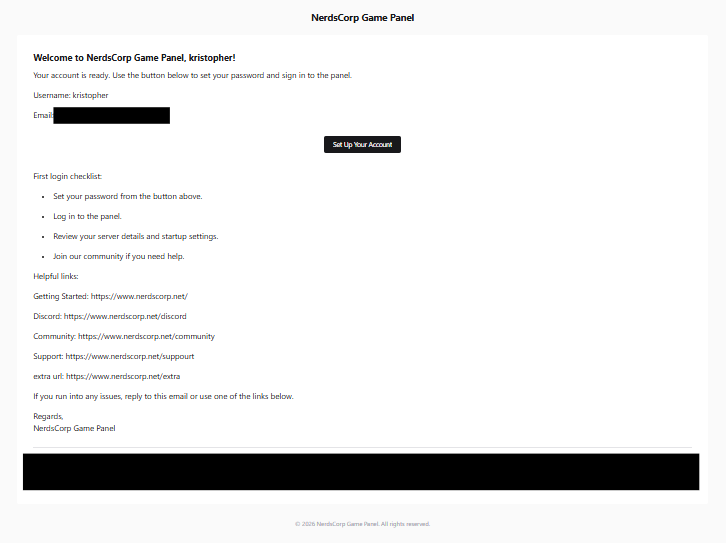
This Pelican plugin adds another account-created email with a configurable onboarding email.
Features
- Custom subject, heading, and intro copy
- Setup-account button that keeps Pelican's reset-password flow
- Adds getting-started, Discord, community, and support links all as a seprete email
- First-login instructions with one step per line
How To Use
- Open the admin panel.
- Go to
Plugins. - Make sure
Welcome Onboardingis enabled. - Open the plugin
Settingsaction. - Save your welcome content and links.
Requirements
- File Size
- 13.11 KB
- License
- Proprietary