Donations
 NizXKyo
26
Downloads
--
Positive (0 reviews)
1 month ago
Last Updated
Manual Plugin Import
- Log in to your panels admin area.
- Navigate to the Plugins section.
- Click the Import from File icon ()
- Upload the downloaded ZIP file and complete the install.
Donations Plugin for Pelican Panel
Adds a Support Us page to the Pelican Panel where administrators can configure donation links for their community.
Features
- Support Us page accessible to all users via the sidebar
- Available in both the server list and server console panels
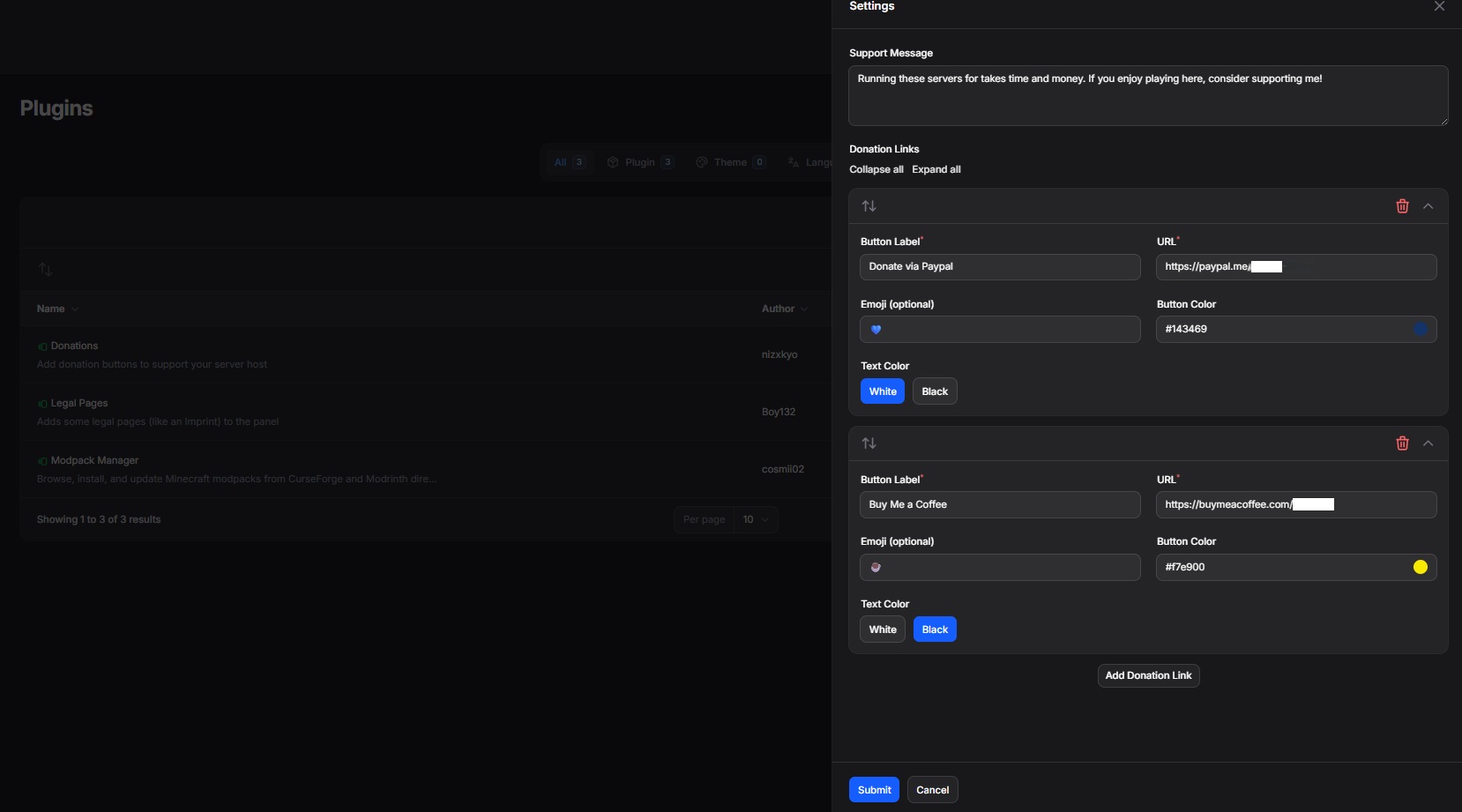
- Configurable donation links with custom labels, URLs, button colors, and optional emoji
- Customizable support message
- Admin settings page for managing all options without editing config files
Installation
Install the plugin via the Pelican admin panel or by placing the plugin folder in /var/www/pelican/plugins/ and running:
php artisan p:plugin:install
Configuration
- Go to Admin > Plugins
- Click the settings icon next to Donations
- Add your donation links and customize the message
- Save
No manual .env editing is required after installation.
Link Fields
Each donation link accepts the following:
- Label - the button text (e.g. Buy Me a Coffee)
- URL - the full donation URL
- Emoji - optional, displayed to the left of the label
- Color - hex color for the button background
- Black or White selection for button text
Author
nizxkyo
Requirements
- File Size
- 19.34 KB
- License
- Proprietary