Custom Buttons
 Dr.Reeves
74
Downloads
100%
Positive (2 reviews)
1 month ago
Last Updated
Repository
Manual Plugin Import
- Log in to your panels admin area.
- Navigate to the Plugins section.
- Click the Import from File icon ()
- Upload the downloaded ZIP file and complete the install.
Custom Buttons
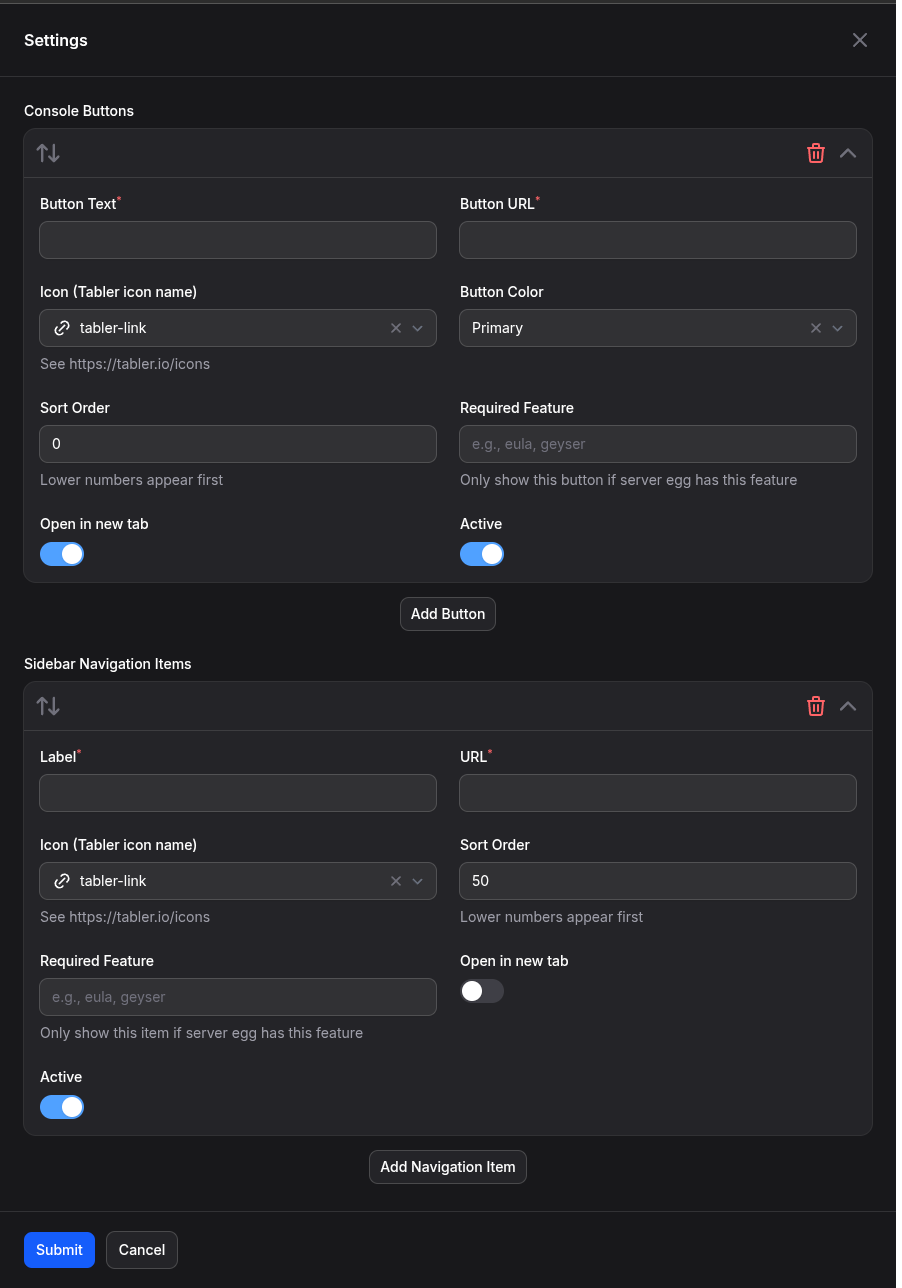
Create custom buttons and sidebar items in the server panel with support for URL templates and feature detection.
Features
- Create custom buttons in the server view
- Add custom sidebar navigation items
- Support for dynamic URL templates (server name, UUID, IP, port, etc.)
- Feature detection system to show/hide buttons based on egg features
- Subuser permissions (view, manage)
- Multi-panel support (admin, app, server)
Installation
- Download the plugin ZIP file from the Releases page
- Go to your Pelican Panel admin area
- Navigate to the Plugins page
- Click on "Import file"
- Select the downloaded ZIP file
- Click "Import"
Usage
After installation, you can create custom buttons and sidebar items from the admin panel. Available URL template variables:
{{env.P_SERVER_UUID}}- Full server UUID{{env.P_SERVER_UUID_SHORT}}- Short server UUID{{env.P_SERVER_NAME}}- Server name{{env.P_SERVER_ID}}- Numeric server ID{{env.P_SERVER_ALLOCATION_IP}}- Primary IP{{env.P_SERVER_ALLOCATION_PORT}}- Primary port{{env.P_SERVER_NODE}}- Node name{{env.P_SERVER_OWNER}}- Owner username
Example URLs
https://map.example.com/server/{{env.P_SERVER_NAME}}https://stats.example.com/{{env.P_SERVER_UUID_SHORT}}https://example.com/connect/{{env.P_SERVER_ALLOCATION_IP}}:{{env.P_SERVER_ALLOCATION_PORT}}
Requirements
- Pelican Panel v1.0+
Author
Made by olivierdti Maintained By Kristopher Reeves (Dr.Reeves)
Requirements
- File Size
- 33.85 KB
- License
- GPL-3.0